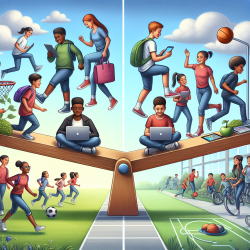
In today's digital age, technology plays an integral role in education. However, the ubiquitous presence of screens in classrooms necessitates a thoughtful approach to ensure that students benefit from technology without compromising their well-being. This blog delves into the guidelines for optimal screen time in schools, aiming to support educators in fostering a balanced and health-conscious learning environment.
Understanding Screen Time
For the purpose of these guidelines, "screen time" refers to any time spent on a screen-based device, such as interactive whiteboards, computers, tablets, TVs, smartphones, or gaming consoles. While these tools offer educational benefits, excessive use can have detrimental effects on students' physical health, mental and emotional well-being, and cognitive development.
The Impact of Excessive Screen Time
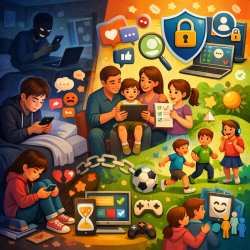
- Physical Health: Reduced physical activity leads to increased sedentary behavior, contributing to obesity and other health issues. Poor posture can cause neck, shoulder, and back pain. Prolonged exposure can also lead to eye strain and vision problems.
- Mental & Emotional Well-Being: Overexposure to digital content can heighten stress and anxiety and impair emotional regulation. It can also lead to addiction or overdependence on gaming and social media.
- Cognitive Development: Constant exposure to fast-paced digital content may reduce attention span and lower academic performance.
The Four M's of Effective Screen Time Use
The Four M's approach provides a framework for educators and families to implement balanced screen time:
- Manage: Set time limits and encourage regular breaks to reduce sedentary behavior.
- Meaningful: Prioritize screen use for specific learning purposes that engage the mind.
- Model: Educators should model healthy screen habits by minimizing non-essential screen time.
- Monitor: Be vigilant for signs of problematic screen use and address them with supportive strategies.
Key Principles of In-School Screen Time Use
1. Prioritize Active and Purposeful Screen Use
- Utilize screens only when they offer a clear educational advantage over non-screen methods.
- Avoid passive screen use; instead, focus on activities requiring active thinking or interaction.
- Avoid using screens for classroom management during meal times unless specified in an individualized plan.
2. Limit and Break Up Screen Time Periods
- Elementary Students (ages 5-11): Limit continuous screen use; take breaks every 30 minutes.
- Intermediate/High School Students (ages 12-18): Take breaks every hour for varied physical activities.
3. Incorporate Physical and Mental Health through Breaks and Active Lessons
- Integrate scheduled movement breaks within learning periods.
- Implement active lessons or outdoor learning activities to keep students engaged physically and mentally.
4. Reduce Media Multitasking and Background Screen Use
- Avoid multitasking during screen activities to promote focus.
- Turn off screens when not in use to minimize distractions.
5. Model Healthy Screen Use and Encourage Self-Regulation
- Educators should model balanced screen habits by prioritizing face-to-face interactions.
- Teach students to recognize signs of problematic screen use and set personal limits focusing on offline play.
The integration of these guidelines aims not only at optimizing the educational advantages of technology but also at safeguarding students' overall well-being. By consciously managing screen time choices, educators can create an environment that supports both academic success and healthy development.
For more information, please follow this link.