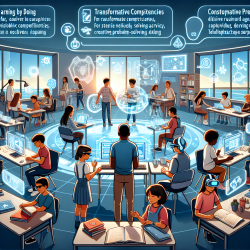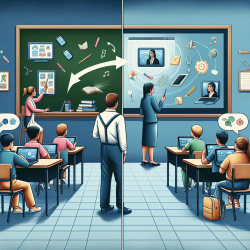

Technology is now woven into nearly every school day. Interactive whiteboards, Chromebooks, tablets, and classroom apps can expand access, personalize instruction, and support students with diverse learning needs. At the same time, many educators are noticing a real challenge: when screen use becomes the default, students may become more sedentary, less socially engaged, and more easily distracted.
For the purpose of these guidelines, screen time means any time spent on a screen-based device such as an interactive whiteboard (e.g., SMART Board), computer (e.g., Chromebook, laptop), tablet, TV, smartphone, or gaming console—whether for educational or recreational purposes.
The goal is not “no screens.” The goal is effective, balanced, and intentional use that supports learning while protecting students’ physical health, mental well-being, and relationships. This is especially important in inclusive classrooms, where students with attention, sensory, language, or self-regulation needs may be more vulnerable to the downsides of excessive or poorly structured screen use.
The Purpose of Screen Time Guidelines in Schools
These guidelines are designed to help school staff make informed decisions about when and how to use screens during school hours. The focus is on:
- Enhancing student health, engagement, and academic success
- Minimizing harm by reducing prolonged sedentary time and distraction
- Balancing benefits with well-being through movement, interaction, and purposeful technology use
- Equipping students with self-regulation tools that transfer beyond the classroom
When screen time is deliberate, students can benefit from high-quality instruction and accessibility supports while still developing the real-world communication, play, and problem-solving skills they need.
What Can Happen When Screen Time Becomes Excessive?
Excessive screen time for school-age children can affect students across physical health, mental and emotional well-being, cognitive development, and social behavior. In schools, these impacts may show up as fatigue, reduced stamina for independent work, increased conflict, or difficulty shifting away from preferred digital activities.
Physical Health Impacts
- Reduced physical activity and increased sedentary behavior, which can contribute to obesity and other health issues
- Poor posture (neck, shoulder, and back pain) from slouching or hunching over devices
- Eye strain and vision problems, including Digital Eye Strain (DES) or Computer Vision Syndrome
- Increased risk of myopia (nearsightedness) due to reduced outdoor time
- Overeating or undereating when screens distract from hunger and fullness cues during meals and snacks
Mental and Emotional Well-Being Impacts
- Addiction and overdependence (gaming, social media, or internet overuse)
- Heightened stress and anxiety from overexposure to online content
- Sleep disturbances because blue light can suppress melatonin and delay sleep onset
- Lower self-esteem related to unrealistic online standards or cyberbullying
- Impaired emotional regulation due to fewer opportunities to practice coping skills in real-world interactions
Cognitive and Learning Impacts
- Reduced attention span when students become accustomed to fast-paced digital content
- Lower academic performance when distraction reduces learning efficiency
- Delayed language and social skills when conversation and face-to-face interaction time decreases
- Dependency on instant gratification, making it harder to tolerate delayed rewards and persist with long-term goals
Behavioral and Social Impacts
- Impaired social skills and fewer opportunities for relationship-building
- Increased risk of aggression when exposed to violent or inappropriate content
- Digital footprint risks when students engage online without strong privacy and safety habits
A Simple Framework: The Four M’s of Effective Screen Time Use
To support consistent implementation, educators and families can use the Four M’s approach (adapted from recommendations on sedentary behavior):
- Manage: Follow time limits and encourage regular breaks to reduce sedentary behavior.
- Meaningful: Prioritize screen use for specific learning purposes and mental engagement.
- Model: School staff model healthy screen habits and minimize non-essential screen time.
- Monitor: Watch for signs of problematic screen use and respond with supportive strategies.
Monitoring matters because “problematic” screen use often looks like more than just wanting a device. Watch for patterns such as:
- Being unhappy or distressed without access to technology
- Difficulty accepting screen time limits
- Negative emotions after screen use
- Screen use interfering with sleep, physical activity, offline play, learning, or face-to-face interactions
Key Principles for In-School Screen Time Use
1) Prioritize Active and Purposeful Screen Use
Use screen-based activities when they provide a clear educational advantage over non-screen methods. A helpful mindset is “learning first, technology second.”
- Ensure screen time has a defined purpose connected to learning goals.
- Avoid passive use (for example, long videos without interaction). Aim for tasks that require active thinking, responding, creating, or discussing.
- Use technology to support learners who benefit from accessibility tools or specialized learning applications.
- In K–6, avoid using screens for classroom management during meal and snack times, unless a student has an individualized learning or behavior plan in place.
- Use only approved apps and software to protect privacy and data safety.
2) Limit and Break Up Screen Time Periods
Students’ bodies and brains benefit from predictable breaks.
- Elementary (ages 5–11): Limit continuous screen use and take a break at least once every 30 minutes to stretch or move.
- Intermediate/High School (ages 12–18): Take at least one movement break every hour and encourage varied physical activity throughout the day.
- When possible, replace sedentary screen time with movement-based or outdoor learning.
3) Protect Physical and Mental Health with Breaks and Active Lessons
Movement is not “time off task.” For many students—especially those with attention or sensory needs—movement is what makes learning possible.
- Build in scheduled and spontaneous movement breaks during learning periods.
- Use active lessons (for example, gallery walks, stand-and-share discussions, partner rotations) to keep students engaged.
- If homework is necessary, limit sedentary homework to no more than 10 minutes per grade level (for example, 10 minutes for Grade 1, 60 minutes for Grade 6).
4) Reduce Media Multitasking and Background Screen Use
Multitasking is often “task switching,” and it can reduce comprehension and increase errors—particularly for students with executive functioning challenges.
- Discourage multitasking during classroom screen activities.
- Turn off screens when not in use, including background media.
- Avoid assigning screen-based homework to support healthy sleep habits.
- Be cautious about always-on classroom management screens or tools, and ensure technology products are approved for privacy and data safety.
5) Model Healthy Screen Use and Teach Self-Regulation
Students learn what “normal” looks like by watching adults. Modeling matters as much as rules.
- Prioritize face-to-face interactions and encourage outdoor or hands-on learning.
- Set boundaries for staff email response times (for example, respond outside instructional time).
- Set assignment due dates for early evening to reduce late-night screen use.
- Teach students to recognize signs of overstimulation or fatigue and to choose breaks before they escalate.
- Include internet safety and digital citizenship as essential skills.
How This Connects to Student Support Services (Including Online Therapy)
At TinyEYE, we partner with schools to provide online therapy services, and we see firsthand that screens can be both a support and a stressor. For many students, teletherapy tools improve access to speech-language pathology, occupational therapy, or mental health supports—especially when schools face staffing shortages.
The key is intentional design. Therapy sessions can be structured to be active, interactive, and skill-based rather than passive. For example:
- Short, engaging tasks with frequent turn-taking and conversation
- Movement or sensory breaks embedded into sessions when appropriate
- Clear visual schedules and predictable routines to support transitions on and off screens
- Collaboration with school teams so therapy supports classroom goals without adding unnecessary screen load
When schools align therapy, instruction, and screen time guidelines, students get the benefits of technology while still building the real-world communication, regulation, and relationship skills that last.
Practical Takeaways for School Teams
- Use screens with a clear purpose and measurable learning value.
- Break up screen time with movement: every 30 minutes (elementary) and at least every hour (older students).
- Reduce background media and multitasking to protect attention and learning.
- Model balanced habits and explicitly teach self-regulation and digital citizenship.
- Monitor for signs of problematic use and respond with supportive, skill-building strategies.
For more information, please follow this link.