
Why AI in K-12 Requires a Different Standard of Care
Artificial intelligence (AI) is rapidly entering K-12 environments—sometimes through formal procurement, and sometimes through informal classroom experimentation. Used well, AI can reduce administrative burden, support differentiated instruction, and strengthen communication across school communities. Used poorly, it can introduce privacy risks, inequities, biased outputs, and confusion about accountability.
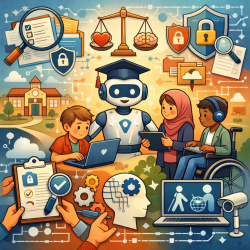
For organizations like TinyEYE—where services are delivered online and involve sensitive student information—responsible AI adoption is not simply a technology decision. It is a student-safety, equity, and governance decision. British Columbia’s Ministry of Education and Child Care has proposed a clear, discussion-oriented framework to help districts and schools evaluate AI tools thoughtfully. The framework is organized into seven categories:
- Ethical Uses
- Needs and Impacts
- Accessibility and Usability
- Integration and Compatibility
- Data Security and Privacy
- Teaching and Learning
- Inclusive Learning
Below is a practical interpretation of those considerations, written for school boards, district leaders, school leaders, teachers, and support teams who want to move from “AI curiosity” to “AI readiness.”
1) Ethical Uses: Keep Humans at the Center
Education is inherently relational. AI can support educators, but it should not replace professional judgment, human connection, or the empathy that students rely on—especially students who need additional supports.
When evaluating AI tools, districts and schools can strengthen ethical practice by focusing on:
- A clear, transparent selection process that is communicated across roles (board, district, school, classroom, support staff).
- Humans in the loop so AI outputs are reviewed and contextualized rather than accepted automatically.
- Bias mitigation and inclusivity checks, including whether tools have been human-reviewed for bias and whether vendors can explain training data, limitations, and safeguards.
- Consent practices, particularly when AI is used for activities like transcription or analysis of student work.
- Transparent communication with families so parents and caregivers understand why AI is being used, what benefits are expected, and what protections are in place.
In practice, “ethical use” often comes down to one question: if an AI tool makes a mistake, who notices, who is responsible, and how quickly can the school respond?
2) Needs and Impacts: Start With the Problem, Not the Product
AI tools are frequently adopted because they are novel, not because they solve a defined problem. The Ministry’s guidance emphasizes strategic tool selection—choosing vetted tools to meet specific administrative, organizational, or educational needs.
Before adopting any AI tool, consider building a short decision brief that answers:
- What need are we addressing? (e.g., reducing repetitive admin tasks, supporting differentiated instruction, improving accessibility)
- Is the tool designed for K-12? What tasks was it made to perform, and do the vendor’s goals align with educational outcomes?
- What is the workload impact? Will it reduce teacher and staff burden, or create new tasks (monitoring, troubleshooting, verifying outputs)?
- What is the cost-benefit? Compare the tool’s cost to current processes, including hidden costs like training time and technical support.
- What is the exit plan? If the tool fails to meet needs, can you stop using it quickly, and what happens to the data?
This “needs-first” approach also supports responsible innovation: it encourages piloting, feedback, and adaptation rather than locking into tools that do not fit evolving classroom realities.
3) Accessibility and Usability: Equity Is Not Automatic
Even when a tool is “available” to everyone, it may not be equitably usable. Differences in disability, language background, socioeconomic access to devices at home, and prior exposure to technology all influence whether students can benefit meaningfully.
Key accessibility and usability checks include:
- Compliance with accessibility standards and support for auditory, visual, mobility, and language differences.
- Intuitive interface design to reduce training burden and prevent uneven adoption across classrooms.
- Supportive documentation and training that is kept current and usable by all stakeholders, not only tech specialists.
- Community involvement to understand local barriers and ensure AI decisions reflect real student and family needs.
- Accessible customer support that does not rely on a single internal “gatekeeper,” which can delay help for educators and staff.
For TinyEYE’s school partners, this category is especially relevant because online service delivery depends on reliable access, clear workflows, and tools that do not unintentionally exclude students who already face barriers.
4) Integration and Compatibility: Avoid “One More Platform” Fatigue
Even a strong AI tool can fail if it does not integrate with existing systems. Schools are already managing learning management systems, student information systems, communication tools, and assistive technologies. Adding AI should reduce complexity, not increase it.
Considerations that reduce implementation risk include:
- Seamless integration with current infrastructure and learning platforms.
- Device compatibility across computers, tablets, and smartphones.
- Maintenance and update requirements that are realistic for school IT capacity.
- Scalability planning so tools can expand across grades or schools without breaking processes.
- Interoperability standards so systems can communicate and data does not become siloed.
From a market perspective, districts increasingly favor vendors that can demonstrate interoperability, clear implementation plans, and predictable support models—because these reduce total cost of ownership.
5) Data Security and Privacy: Treat AI Like a High-Sensitivity Service
AI tools often process personal information, and that raises immediate legal and operational responsibilities. In B.C., public school districts must consider the Freedom of Information and Protection of Privacy Act (FOIPPA). Section 69(5) requires a Privacy Impact Assessment (PIA) for projects involving personal information, including many AI procurements.
Practical steps that align with the Ministry’s guidance include:
- Know the policy landscape (local and provincial privacy and security requirements).
- Confirm robust security protocols and vendor practices for storage, access, and disclosure.
- Clarify data ownership so districts and schools retain control over data generated or processed.
- Plan for breach response with clear, standardized procedures for swift mitigation.
- Educate students on responsible use, especially for web-based tools where online safety is part of safe adoption.
- Monitor compliance over time through audit and ongoing review, not just a one-time approval.
For independent schools, similar responsibilities exist under the Personal Information Protection Act (PIPA), and privacy policies are strongly encouraged.
6) Teaching and Learning: Align With Curriculum and Protect Authentic Assessment
AI can support learning when it is aligned with learning standards, used transparently, and guided by educators. It can also undermine learning when it becomes a shortcut that replaces thinking, writing, or problem-solving.
To use AI to deepen learning rather than dilute it, consider:
- Curriculum alignment so AI use supports learning outcomes rather than distracting from them.
- Clear expectations for students about when AI is allowed, when it is not, and how to cite or describe AI assistance.
- Teacher oversight in assessment to protect authenticity and ensure evaluation reflects student learning.
- Evidence-based effectiveness by looking for research, case studies, or documented outcomes.
- Professional learning so educators can build AI literacy and apply tools confidently and safely.
Critically, the Ministry emphasizes that if a student cannot use an AI tool (due to permissions, privacy, or access), an alternative method must be available so learning opportunities remain equitable.
7) Inclusive Learning: Use AI to Reduce Barriers, Not Create New Ones
Inclusive learning is one of the most promising—and most sensitive—areas for AI in K-12. Tools may support students with disabilities and diverse needs through adaptive content, alternative formats, and assistive features. But these benefits require careful consultation and alignment with student plans.
Strong inclusive practice includes:
- IEP alignment so AI supports goals already identified in a student’s plan.
- Appropriate consultation with the student’s team, including families and relevant professionals.
- Accessible design features such as screen-reader compatibility, speech-to-text, adjustable fonts, and alternative formats.
- Assistive technology compatibility verified through real testing on the devices students use.
- Universal design principles so accessibility is built-in rather than added later.
- Multilingual support for students and families, including multilingual customer service where possible.
This category connects closely to TinyEYE’s mission: when online services are designed with accessibility, consent, and inclusion in mind, they can expand support for students who might otherwise face long waitlists or limited local capacity.
Role-Based Implementation: Who Should Focus on What?
The Ministry’s guidance also recognizes that different roles have different decision responsibilities. A collaborative approach is essential, but priorities vary:
- School boards: ethical uses, needs and impacts, accessibility and usability, integration and compatibility, data security and privacy
- District leaders: all categories, including teaching and learning and inclusive learning
- School leaders: ethical uses, needs and impacts, teaching and learning, inclusive learning
- Teachers: ethical uses, teaching and learning, inclusive learning
When these groups work in isolation, AI adoption tends to become either overly restrictive or overly permissive. When they collaborate, schools can innovate with guardrails.
A Practical Next Step: Build a Local AI Review Checklist
If your district or school is early in the AI journey, consider creating a one-page checklist mapped to the seven categories above. Use it for pilots, procurement conversations, and annual reviews. The goal is consistency: the same questions, asked every time, before tools reach classrooms or student data.
For more information, please follow this link.