Why “How” Matters More Than “How Much”
School leaders and educators continue to face a persistent question: how much screen time is too much? The most responsible answer, based on current research, is that the evidence is still developing—and simple, universal limits are difficult to justify. Notably, the Royal College of Paediatrics and Child Health (RCPCH) in the UK does not issue fixed time limits for screen access, citing that the evidence base is weak, potential harms are often overstated, and much of the existing research focuses narrowly on television rather than today’s interactive digital learning environments.
For schools, this is an important reframing. The practical goal is not to “count minutes” as a proxy for wellbeing or learning quality. Instead, the more useful approach is to evaluate what students are doing on screens, what screen time is replacing (sleep, exercise, peer interaction), and whether technology is increasing access to learning and support—especially for students who might otherwise be left behind.
What the Evidence Suggests: Four Factors Schools Should Weigh
While research remains inconclusive in places, existing studies and professional guidance consistently highlight several factors that are highly relevant to classroom practice.
Type of screen time matters. Passive consumption (for example, prolonged scrolling or watching without interaction) is more likely to be associated with negative outcomes. In contrast, active participation—such as engaging in online classes, collaborating with peers, or attending supportive services—can be beneficial.
Screen time must be considered in relation to other activities. Concerns increase when screen time displaces sleep, physical activity, outdoor time, or healthy routines. These trade-offs can affect both academic achievement and health.
Age and developmental stage change the risk profile. Very young children are more sensitive to passive screen exposure due to developmental considerations. Older learners may benefit more from purposeful, interactive use—particularly when it supports learning, connection, and wellbeing.
Access is an equity issue, not just a behaviour issue. It is easy to frame the challenge as “too much access,” but lack of access to reliable devices and internet can be equally harmful. Students experiencing poverty may face barriers that reduce learning opportunities and limit access to services.
What Schools Learned During the Covid-19 Shift to Remote Learning
The pandemic forced rapid adoption of remote learning, often with limited preparation time and uneven access to technology. Many schools had to iterate quickly as new tools became available. Teachers reported marking work on mobile phones because they did not have their own computers. Students frequently shared a single device with siblings, creating scheduling conflicts and reducing time for learning.
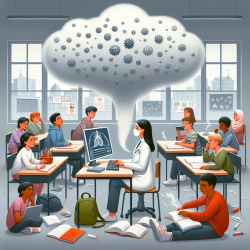
Schools also discovered that a “face-the-video” approach—trying to replicate the classroom by keeping everyone on live video for extended periods—was exhausting. Educators and students reported headaches, dry eyes, tiredness, and reduced motivation. These experiences did not necessarily indict technology itself; rather, they highlighted the importance of designing learning intentionally, with variation, breaks, and realistic expectations.
Practical Approaches That Improved Engagement and Reduced Fatigue
In response, many schools developed more sustainable models. These strategies remain relevant today, especially as blended learning continues and students may still learn from home due to illness, travel, or other circumstances.
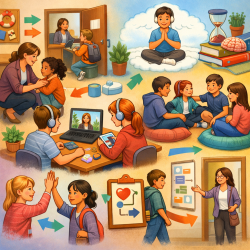
Use blended approaches. Combine on-screen activities with off-screen tasks so that learning is not synonymous with video calls. This reduces fatigue and supports different learning preferences.
Transfer strong classroom pedagogy into online spaces. Active learning strategies still work—especially when supported by digital tools such as quizzes, discussion boards, and structured collaboration.
Build flexibility into tasks and deadlines. Flexibility allows learners to take breaks, manage shared devices at home, and work at times when they can focus best.
Encourage collaboration. Small group discussions and online collaboration tools can increase engagement and reduce isolation.
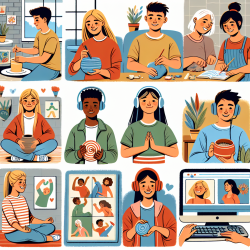
Include screen time for wellbeing. Purposeful sessions—such as guidance counselling check-ins or online yoga—can support mental health and routine.
From Screen Limits to Holistic Design: A More Useful School Framework
Because prescriptive timing rules are difficult to apply across ages, contexts, and subjects, many schools are moving toward a holistic model: use technology where it adds value, and evaluate impact on learning and wellbeing rather than minutes logged.
In practice, this can be surprisingly straightforward. Schools can normalize learning routines that reduce unnecessary screen exposure while still maintaining academic rigour.
Let students know when it is acceptable to handwrite work and submit it as a photo.
Encourage the use of printed textbooks or offline resources for research rather than defaulting to videos or web searches.
Build in “thinking time” away from the screen before students respond, write, or discuss.
Physical Health: Simple Habits That Make a Measurable Difference
Screen time concerns are not only cognitive or behavioural; they are also physical. Schools can reduce discomfort and fatigue by explicitly teaching healthy routines and normalizing breaks.
Posture and workspace setup: Remind students about basic ergonomics and easy ways to improve their study area.
Mini breaks and movement: Encourage standing up, looking away from the screen, and taking proper breaks that include physical activity.
Sleep protection: Share age-appropriate guidance about turning off screens well before bedtime.
Cameras in Class: Engagement, Privacy, and Bandwidth
Webcams can help teachers read student reactions and gauge engagement. However, “camera-on all day” expectations can be tiring and may introduce inequities. A balanced camera approach recognizes that students’ home environments, bandwidth, and comfort levels vary.
Students with poor internet connections may need to turn off incoming video and could miss visuals.
A student having a difficult day may not want to be on camera.
Some students may feel uncomfortable showing their home environment; background blur can help, but it may not work on older devices.
Many platforms allow students to keep cameras off while still participating and sharing screens when needed.
A Practical Checklist for Balanced Screen Use in Teaching and Learning
When planning lessons, schools can use a simple checklist to ensure screen time is purposeful and sustainable.
1) Timings: Place Live Screen Time Where It Adds the Most Value
A brief opening discussion to check in, build connection, and set up the task.
A mid-session check-in to troubleshoot and re-focus.
A short closing session for feedback, reflection, and next steps.
To spark discussion efficiently, teachers can use structured routines (for example, “see-think-wonder”) or quick polls.
2) Class Size: Use Small Groups and 1-to-1 When Appropriate
Consider small group discussions instead of whole-class video sessions every time.
Offer drop-in sessions for older students who need targeted help.
3) Screen Alternatives: Design Offline Tasks That Still Meet Learning Goals
Assign a walk-based challenge (for example, identifying natural or architectural features).
Use observational activities, such as logging traffic patterns or building a simple rainfall monitor.
Preparing Students in School for More Independent Learning at Home
Even when students are learning in person, schools can prepare them for future home learning by developing independent learning and metacognitive skills. For example, teachers can assign a research task in class, observe how students approach it, and coach them on efficient strategies—helping reduce unproductive screen use later.
Practical preparation also includes ensuring students have what they need to work offline when appropriate, such as textbooks, stationery, and clear instructions that do not require constant device access.
Blended Teaching Is Here to Stay—So Plan for Inclusion
Many schools now teach in blended contexts: some students are in the classroom, while others join remotely due to quarantine, travel, or other circumstances. In these cases, it can help to design different tasks that share the same learning objectives, rather than forcing identical experiences. If students join by video, ensure they can hear both the teacher and classmates, and plan how they will ask and answer questions so they remain active participants.
Beyond Academics: Why Purposeful Screen Time Can Support Student Wellbeing
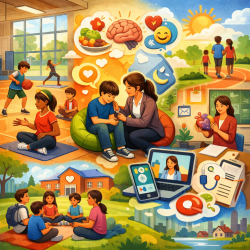
Not all valuable screen time is academic. Live digital sessions can support wellbeing and continuity, including:
check-ins with school guidance counsellors,
online exercise or movement sessions,
routine-building and connection,
communication with parents about progress and support needs.
For schools partnering with providers like TinyEYE, this is a key point: online services can be a form of high-value, interactive screen time when they increase access to support, reduce travel and scheduling barriers, and help students receive consistent care within the school day.
Partnering with Parents: Communicate the “Why”
Families may worry about too much screen time—or, in some cases, too little access to learning tools. Sharing a clear rationale for instructional choices can reduce anxiety and improve follow-through at home. Schools can also clarify how much help parents should provide, emphasizing that independent thinking and problem-solving remain essential. Finally, make sure families know who to contact if they are concerned about progress, motivation, or wellbeing.
For more information, please follow this link.