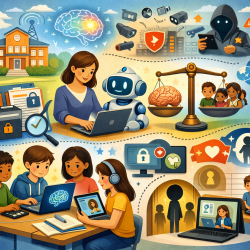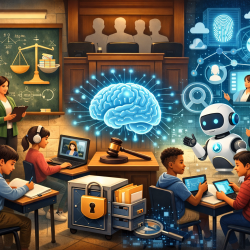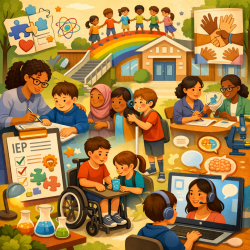
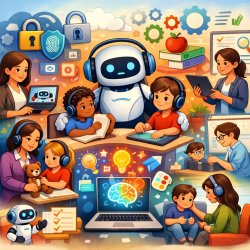
GenAI Is Here—So How Do Schools Use It Well?
Generative AI (GenAI) has moved quickly from “interesting” to “everywhere.” Teachers are seeing it in lesson planning, writing supports, feedback tools, and student chatbots. District leaders are seeing it in procurement conversations, privacy reviews, and parent questions. And special education teams are seeing it in IEP meetings, accommodation discussions, and workflow challenges—especially as staffing shortages continue across therapy and related services.
This post draws on key ideas shared through the University of Calgary alumni session “Gen AI Tools for the K-12 Classroom” (Speaker: Sue Mylde, BEd’19, MSc, Doctoral Scholar, Ed.D. Learning Sciences). The goal here is simple: make GenAI easier to understand, safer to explore, and more realistic to implement.
Start With AI Literacy (Not Just AI Tools)
One of the most important takeaways is that AI literacy belongs to all educators, not only technology teachers. AI literacy is the set of skills and understandings we need to “survive and thrive in a world full of AI” (as highlighted in the session materials referencing Matt Miller’s work).
In practical school terms, AI literacy means staff can:
- Explain what GenAI is (and what it is not) in plain language
- Use AI tools with clear instructional purpose
- Identify common risks (hallucinations, bias, privacy issues)
- Teach students how to use AI ethically and thoughtfully
- Make informed decisions about when not to use AI
Frameworks That Help Schools Make Better Decisions
When educators feel overwhelmed by AI, a framework can bring order to the noise. The session referenced several helpful models that many districts are already using in broader technology integration:
- TPACK (Mishra & Koehler): Balances technology, pedagogy, and content knowledge—helpful when deciding whether AI actually improves instruction or just adds novelty.
- AI Competency Framework for K-12 Teachers (Chiu): Focuses on teacher readiness and competencies needed to use AI responsibly.
- IPACK (“Intelligent-TPACK”) (Miller): An updated lens acknowledging that “intelligent” tools change how technology interacts with teaching and learning.
For special education leaders, these frameworks are useful because they keep the focus on instruction and student outcomes—rather than chasing the newest product.
“Not Every Tool Out There”: A Realistic Approach
A message that resonates strongly in schools: GenAI is often oversold and underused. The solution is not to ban everything or buy everything. It’s to choose intentionally.
The session offered a grounded recommendation for what teachers (actually) need:
- Choose a chatbot (or two)
- Choose a reliable multipurpose tool you like
- Choose a subject-specific tool
- Test tools for your own needs
- Accept that there is no one-size-fits-all
That approach aligns well with how districts manage assistive technology, intervention programs, and related services: start small, pilot thoughtfully, collect feedback, and scale what works.
Non-Negotiables: Privacy, Data Protection, and Human-Centred Design
Before we talk about specific tools, we need to talk about safeguards. The session emphasized several key considerations schools should review (ideally with EdTech, IT, and district leadership at the table):
- Privacy and data protection: Read the fine print. If staff can’t, ensure your EdTech/IT team can and does.
- Subscription vs. free access: “Free” often comes with limits, ads, weaker controls, or unclear data practices.
- Who is the user? Teacher-only, student-only, or both—each category changes risk and supervision needs.
- Human-centred design: GenAI should be a starting point, not the final product. Educators remain responsible for decisions, accuracy, and appropriateness.
From a special education compliance standpoint, these points matter because AI can easily intersect with sensitive student information. Districts should be explicit about what staff may enter into any AI tool, especially when it relates to disability, mental health, behavior, or medical information.
A Quick Tour of GenAI Tool Categories (With Examples)
The session explored several tools across practical categories. Below is a simple, school-friendly summary of what each category can do.
1) Teacher-Focused Creation Tools: Brisk Teaching
Brisk Teaching was highlighted as a Chrome extension that supports teacher workflow. Examples of features discussed include:
- Creating quizzes and resources that integrate with Google Docs and Google Forms
- Building Google Slides presentations
- Providing student feedback at scale (including batch feedback features)
- “Inspect writing” tools (noted as something to use with great care)
Why this matters in schools: time is a finite resource. When teacher workload is reduced responsibly, teams can redirect energy to high-impact instruction, relationship-building, and targeted interventions.
2) Classroom-Ready Teacher Tools + Student-Safe Options: MagicSchool AI and SchoolAI
MagicSchool AI was described as one of the earlier education-focused AI tools with “student safe” positioning and ready-made teacher tools (like lesson planning). It can also support younger grades by allowing teachers to structure interactions through prompts.
SchoolAI was presented as similar in spirit—also offering tools and assistants, with an interface that may feel more “older-student friendly.” A repeated theme: prompting is key. The quality and safety of outputs depend heavily on how educators set up the task.
3) Feedback and Formative Assessment: Snorkl
Snorkl was highlighted as a unique feedback tool that can support:
- Automated feedback for students
- Exit tickets and quick check-ins
- Verbal and “whiteboard” style responses
- Formative assessment with timely, guided feedback
In special education, formative assessment tools can be powerful when used thoughtfully—especially for progress monitoring and providing students multiple ways to demonstrate learning (e.g., oral explanation instead of only written output). As always, teams should confirm accessibility, privacy protections, and whether the tool aligns with student needs and IEP accommodations.
4) Research and Study Support for Secondary: NotebookLM
NotebookLM was positioned as a strong tool for grades 7–12, particularly for digesting text and generating study supports (notes, assignments, and other “manipulatives”). It also offers audio/video overview options (podcast-style summaries), which may support varied learning preferences.
As with any AI summarization tool, educators should teach students to verify information and to use summaries as support—not as a replacement for reading and thinking.
5) Multipurpose Chatbot Tools with Guardrails: Google Gemini
Google Gemini was discussed as a multipurpose chatbot for teachers and students, with notable attention to a “youth safe” experience for ages 13–17 and additional safeguards for sensitive topics (including directing users to help resources when appropriate).
From a district leadership lens, it’s important to note the session’s emphasis on reviewing admin settings (including age-based access) and understanding how protections apply within education environments.
Where Special Education and Therapy Services Fit In
As a Special Education Director, I’m often asked: “Can AI replace specialized instruction or therapy?” The answer is no. But AI can support systems when used responsibly.
In districts facing therapist staffing shortages, tools that improve teacher planning, student feedback cycles, and documentation efficiency can reduce pressure on teams. For example:
- Teachers may use AI to draft differentiated materials (then revise for accuracy and appropriateness)
- Teams may use AI to generate parent-friendly explanations of classroom routines (without including identifiable student information)
- Students may use structured, supervised tools to practice skills (with clear boundaries and adult oversight)
For companies like TinyEYE providing online therapy services to schools, this conversation is especially relevant: GenAI can help educators and clinicians streamline certain tasks, but it must be paired with strong professional judgment, ethical standards, and privacy protections.
A Simple “Next Steps” Checklist for Schools
- Define your purpose: What problem are you trying to solve—planning time, feedback speed, student practice, or something else?
- Pick a small tool set: One chatbot, one multipurpose tool, one subject or workflow tool.
- Set privacy rules: Be explicit about what staff and students may not enter (student identifiers, IEP details, health information).
- Teach prompting and verification: “Prompting is key,” but so is checking outputs for bias, accuracy, and appropriateness.
- Keep humans in charge: AI drafts; educators decide.
For more information, please follow this link.